Claude 101 — The Complete Guide
This Is Not a Chatbot.
The operator's guide to Claude for service-based businesses. No jargon. No theory. Just the system that compressed 6 months of work into days.
You already use AI. You ask it to write captions, summarise articles, draft the occasional email. And that works — the same way a calculator works for someone who needs an accountant.
This guide is about the gap between what you're doing with AI and what's actually possible. Not in theory. Not "one day." Right now, with the tools that exist today.
Claude is the AI I use to run Kaizen Collective. Not as a content spinner. As a thinking partner that holds the full context of my business — my frameworks, my voice, my clients, my constraints — and works with me at that level.
In the last two weeks, I've built 11 working applications. A CRM dashboard tracking 50+ client locations. An AI operating system that scores client health and generates coaching reports across Instagram, Meta Ads, Slack, Stripe, and our CRM — simultaneously. An automated daily report that scans 40 Slack channels and categorises every client as red, orange, or green before my team wakes up. Landing pages for clients. A content engine that researches, writes, and edits in my voice. 16 strategic business documents.
Any one of those projects would have taken a developer 2-3 months. I built The Lighthouse — our AI operating system with 30+ database models, 20+ pages, client portals, ad management, and weekly AI coaching reports — without writing a single line of code myself.
The difference isn't the technology. It's the architecture you build around it.
Built for Operators
You don't need to know what an API is. You need to know what to ask for and how to verify the output.
✓ This guide is for you if...
- ✔ You run a service-based business and everything still flows through you
- ✔ You've tried ChatGPT but the outputs felt generic and unusable
- ✔ You want AI to handle execution, not just give you more ideas
- ✔ You'd rather invest 2 hours learning than 2 months experimenting
✗ Skip this if...
- — You want prompt templates to copy-paste without understanding the thinking
- — You're looking for AI to "do everything for you" without your input
- — You want a computer science lecture instead of practical business outcomes
You don't need to be technical. If you can describe what you want to a new employee, you can use Claude. The skill you already have — explaining things clearly to people — is the exact skill this requires.
What You'll Walk Away With
Each section gives you one clear capability. By the end, you'll have a working AI system — not a theoretical understanding of one.
A Configured Claude Account
Your first Project set up — structured so Claude already understands your business, your offer, and your voice before you ask it a single question.
FoundationYour Business Context Layer
The foundational documents that turn Claude from a generic tool into something that thinks like a member of your team. Write them once — they compound from there.
SystemA Working Prompt Architecture
Five engineered prompts for your core business documents — Business Profile, ICP, Offer Doc, Brand Guidelines, and Project Setup. Copy-paste ready.
EngineThe Mental Model
The prompting approach that makes every future conversation with Claude better than the last. Not tricks — the actual architecture behind producing operator-grade output.
SkillYou've probably heard of ChatGPT. You might even be using it.
But Claude and ChatGPT are built for fundamentally different jobs. If you're using the wrong one, you're working harder than you need to.
Next: ChatGPT vs Claude →Why I Switched.
Same category of tool. Very different thinking.
You know that feeling when you ask someone for advice and they give you an answer that could apply to literally any business on earth? "Focus on your ideal client." "Build a strong brand." "Be consistent on social media."
That's what using ChatGPT felt like after the novelty wore off. I'd paste in a real business problem — something specific, something messy — and get back a tidy list of generic suggestions. It felt productive. It wasn't.
The first time I used Claude, I gave it the same prompt I'd been giving ChatGPT. The difference wasn't subtle. It was the difference between a motivational poster and a diagnostic conversation with someone who actually understood what I was building.
Here's a 6-week challenge framework: Set a theme (e.g., "New Year, New You"). Price it at $99-$199. Include body composition scans, weekly group workouts, a nutrition guide, and a private Facebook group. Promote it 3-4 weeks in advance using social media, email, and referral incentives. Consider offering a money-back guarantee to reduce friction...
This gives you a template. A decent one. But it could be for any gym, anywhere, at any revenue level.
Before I design this — what's the actual goal? At $18k/month, a 6-week challenge could either be a lead gen play (get bodies in, convert to memberships) or a cash injection (charge premium, profit on the challenge itself). These require completely different designs.
What's your current conversion rate from trials to memberships? If it's under 40%, we should fix that first — otherwise you're pouring new leads into a leaky bucket. What's your average membership value and current member count?
Here are some steps: 1) Document each cancellation with dates and times. 2) Have a formal meeting with clear expectations. 3) Implement a written warning system. 4) Create a cancellation policy with consequences. 5) Consider whether this person is the right fit for your team...
Correct advice. You could find it in any HR article from 2019.
Two conversations and it's still happening — which means the conversations aren't landing. A few things to consider before escalating:
Is this a compliance issue or a capacity issue? If they're cancelling because they're burning out on 35+ sessions a week, a warning won't fix it. If they're cancelling because they don't respect the standard, a warning might not fix that either. What changed? Were they reliable before? If so — what's different now?
Here's a weekly content calendar: Monday — Motivational quote. Tuesday — Client transformation. Wednesday — Behind the scenes. Thursday — Educational tip. Friday — Team spotlight. Saturday — Community post. Sunday — Rest or personal story...
A content calendar template. You've seen this before. You probably already have one you're not using.
Hold on — "post more" isn't a strategy. What's actually broken here? Are you not getting leads from Instagram (distribution problem), not converting followers to enquiries (content-to-action problem), or just feeling guilty about being inconsistent (mindset problem)?
Because the content plan for each of those is completely different. What's your current follower count, and how many DMs or enquiries did you get from Instagram last month? That tells us whether Instagram should even be your priority right now.
The Pattern You're Seeing
It's not that ChatGPT gives bad answers. It gives safe answers. Claude does something different.
Here's the problem with every AI tool: you start a new conversation and the AI has amnesia. It doesn't know your business, your clients, your brand, your offer, your numbers. You have to re-explain everything. Every. Single. Time.
Claude Projects solve this permanently. A Project is a workspace where you upload your core business documents — your Business Profile, your ICP, your brand voice, your frameworks — and every conversation inside that Project has instant access to all of it. No re-explaining. No copy-pasting. It just knows.
Drop in your Business Profile, ICP, brand voice, and key docs
Every conversation in the Project starts with full business context
Claude knows your numbers, your voice, your constraints, your goals
Each document you create feeds back into context for the next one
Claude: Already knows your gym name, your brand voice, your membership tiers, your average session frequency, and the tone your clients respond to. The email it writes sounds like you wrote it — because it has everything it needs to.
ChatGPT has something similar called "GPTs" — but it's a different architecture. You can't upload and update documents the same way. You can't start new conversations inside the same context naturally. It's an add-on feature vs. a core design decision. The difference compounds over weeks.
You Don't Need to Bring Your History
The thing holding you back from switching is a sunk cost that doesn't exist.
The most common objection I hear: "But I've got months of conversations in ChatGPT. All my prompts, all my threads. I can't just leave that behind."
Here's the truth: go open your ChatGPT history right now. Try to find a specific conversation from two months ago. Try to find the prompt that produced that one good output. You'll spend 10 minutes scrolling through a graveyard of disconnected threads that have zero relationship to each other. That's not an asset. That's noise.
Claude doesn't need your ChatGPT history. It needs your business context — your profile, your numbers, your voice, your offer. Load those into a Project and Claude will understand your business better in 10 minutes than ChatGPT did after 6 months of scattered conversations.
The 10-Minute Migration
You don't "switch" from ChatGPT to Claude. You just start properly.
ChatGPT gives you answers.
Claude gives you thinking.
Now that you know why Claude — let's look at what it can actually do for your business, starting today.
What Can Claude Do? →Everything You've Been
Doing Manually.
Right now, you write every email. You build every SOP from scratch. You stare at spreadsheets trying to find the pattern. You wait days for a designer to send back something you could have described in two minutes.
That's not a work ethic problem. It's a leverage problem.
Here are eight things Claude does that will change how you operate your business. Not eventually. This week.
Artifacts — Build Things Inside the Conversation
Most AI gives you text. Claude gives you finished things. Documents with formatting. Spreadsheets with formulas. Interactive HTML pages. Presentations. All created right inside the conversation, ready to use.
You describe what you need. Claude builds it while you watch.
Projects — Persistent Business Context
We covered this on the previous page. Upload your brand guide, your offer docs, your ICP — Claude remembers everything across conversations. No more re-explaining your business every time you open a new chat.
Voice Matching — Copy That Actually Sounds Like You
Every business owner I work with has the same complaint about AI: "It sounds robotic." That's because they never taught it how they actually communicate.
Give Claude three examples of your writing. Social captions, emails, whatever. It learns your rhythm, your sentence length, the words you reach for — and the words you'd never use. Then it produces content your audience recognises as yours.
Are you a fitness professional looking to take your business to the next level? Our comprehensive coaching program is designed to help gym owners like you achieve sustainable growth and operational excellence. Schedule your free consultation today!
You didn't open a gym to spend your nights doing payroll.
Somewhere between the 5am opens and the midnight admin, the thing you loved became the thing that runs you.
That's fixable. Not with another course. With a system that gives you your business back.
Strategic Diagnosis — It Questions Before It Answers
You saw this in the ChatGPT vs Claude comparison. Where other tools give you the first answer that fits, Claude asks what problem you're actually solving. It finds the gaps in your thinking before you build on a bad assumption.
Data Analysis — Paste Your Numbers, Get Clarity
You know that spreadsheet you've been staring at? The one with last month's ad spend, or your client retention numbers, or your P&L that doesn't quite add up?
Paste it into Claude. It reads the data, finds the patterns you're too close to see, and tells you what to do about it. In plain language. With specific recommendations.
Document Generation — Not Templates. Finished Work.
Templates give you a starting point. Claude gives you the finished thing.
SOPs, proposals, client handbooks, training guides, brand guidelines, onboarding decks — each one written specifically for your business, your voice, your team. Not a generic fill-in-the-blanks PDF. A document your staff can open and follow on day one.
In ten days I produced 16 documents that would have taken weeks to write manually. Every one of them is live in our business today.
SOPs & Processes
Client Proposals
Training Guides
Brand Guidelines
Onboarding Decks
Offer Documents
Code & Applications — Build Without Writing Code
This is the part that surprises people most.
Claude doesn't just write text. It builds actual, working software. Dashboards. Client portals. Automated reporting tools. CRM integrations. Full web applications — described in plain English, built in hours instead of months.
I'm not a developer. I've never written a line of production code in my life. But with Claude Code, I've shipped 11 applications that run our business every day.
Always Available — Your 24/7 Strategic Partner
No meetings to book. No waiting for replies. No "let me get back to you on Monday."
At 11pm when you finally have headspace to think about that new offer structure, Claude is there. At 5am when you want to draft the week's content plan before the gym opens, Claude is there. Between coaching sessions when you need to quickly restructure a client proposal, Claude is there.
It doesn't get tired. It doesn't have bad days. It doesn't need to be caught up on context it already has.
Late Night Strategy
When the ideas finally come at 11pm, you don't need to write them on a napkin and hope you remember.
No Lead Time
Need a proposal in 20 minutes? A revised SOP before the team meeting? Done.
Compounds Over Time
Every conversation builds on the last. Your Projects hold context that gets richer the more you use it.
These aren't future promises. This is what I've already done — in weeks, not months. With no technical background. Just clear thinking and a tool that keeps up.
Claude comes in three forms. One of them built everything you just saw. Let's break down the ecosystem.
The Claude Ecosystem →Three Tools, One Brain.
Claude isn't one thing. It's three tools that share the same intelligence. You only need one today — but knowing what's possible changes how you think about all of them.
The Claude App — claude.ai
Your Strategic Workspace.
This is where you'll spend 90% of your time. It's not a chatbot window. It's a workspace that holds your entire business context, connects to your existing tools, learns your specific workflows, and works with you at that level.
Phase 1: Foundations (Week 1–2)
- Offer audit & refinement session
- ICP deep-dive & messaging framework
- Brand voice documentation
- CRM pipeline structure & stage definitions
- Automation sequences: new lead, no-show, post-consult
Projects
Upload your business profile, brand voice, ICP, and offer documents once. Every conversation starts with full context already loaded.
Artifacts
Claude creates documents, spreadsheets, presentations, even working HTML pages right in the conversation. Not text dumps — formatted, interactive outputs.
File Analysis
Upload PDFs, spreadsheets, images. Claude reads them, understands them, and answers questions about them.
Extended Thinking
Claude thinks through complex problems step by step before answering. You can watch it reason through scenarios, trade-offs, and edge cases.
200K Context Window
Can read and process an entire book's worth of content in one go. Not fragments — the whole thing, held in memory at once.
Skills
Claude can learn specialised workflows — writing in your exact voice, following your coaching methodology, designing with your brand guidelines. Once a skill is set up, it runs the same way every time.
Connectors
Claude plugs directly into the tools you already use — Slack, Notion, Google Calendar, Canva, Gmail. Not through copy-pasting. Through live, two-way connections that read and write data.
Claude Cowork
Like having a senior copywriter looking over your shoulder while you draft that email sequence. Cowork sits inside your browser, reads what you're writing, and makes suggestions in real time.
Subject: Welcome to our program! Here's what happens in your first 48 hours
Hey {{first_name}},
We're so excited to have you on board! We can't wait to get started on your journey.
You made the call. Now let's make it count. Here's exactly what's happening next — no guesswork.
Below you'll find some information about what to expect.
In the next 24 hours, your account manager will reach out to book your onboarding call. Before that call, here are 3 things to have ready:
Works inside your browser. Google Docs, Gmail, Notion, any text editor. No copy-pasting back and forth.
Reads context, not just the cursor. It understands the full document — tone, structure, audience — before suggesting changes.
Restructures, not just polishes. It can reorder sections, tighten arguments, catch inconsistencies across a 10-page doc. Not just grammar fixes.
Matches your voice. If your Project has your brand guidelines loaded, Cowork writes in your tone — not generic AI-speak.
Plug Claude Into Your Existing Tools.
Connectors let Claude read and write data directly inside the tools you already use. No copy-pasting. No switching tabs. You talk to Claude, and it takes action in your apps.
This is the difference between "AI assistant" and "AI team member." A team member doesn't just give you advice — they log into the systems and do the work.
Available on Claude Pro. Go to Settings → Connectors to enable each one.
Google Calendar
"What's on my calendar tomorrow? Draft prep notes for each client call based on their last session."
Gmail
"Check my inbox for any client emails I haven't replied to. Draft responses in my voice for each one."
Notion
"Create a new page in my SOPs database with the onboarding checklist we just built. Format it with checkboxes."
Slack
"Read the last 3 days of messages in my team channel. Summarise what I missed and flag anything that needs my attention."
Canva
"Create a carousel post using my brand colours and fonts. Topic: 5 signs you need a business coach."
Web Search
"Research the top 5 pilates studios in Brisbane. What are they doing well on social media that I could learn from?"
Why this matters: Without connectors, you copy data out of your tools, paste it into Claude, get a response, then go back and action it manually. With connectors, you say "draft replies to my unanswered emails" and Claude reads your inbox, writes the drafts, and you just review and send. That's the difference between a chatbot and a team member.
Claude Code
The power tool. You won't need this today. But when you see what it does, you'll understand why the ceiling is so much higher than you thought.
You won't need this today. But when you're ready, it's there. And it changes what's possible when one person can build software from a description.
The Compound Effect.
Each one amplifies the others. And they all share the same brain — so the context you build in one carries into all three.
See What This Ecosystem Built →What Two Weeks Looks Like.
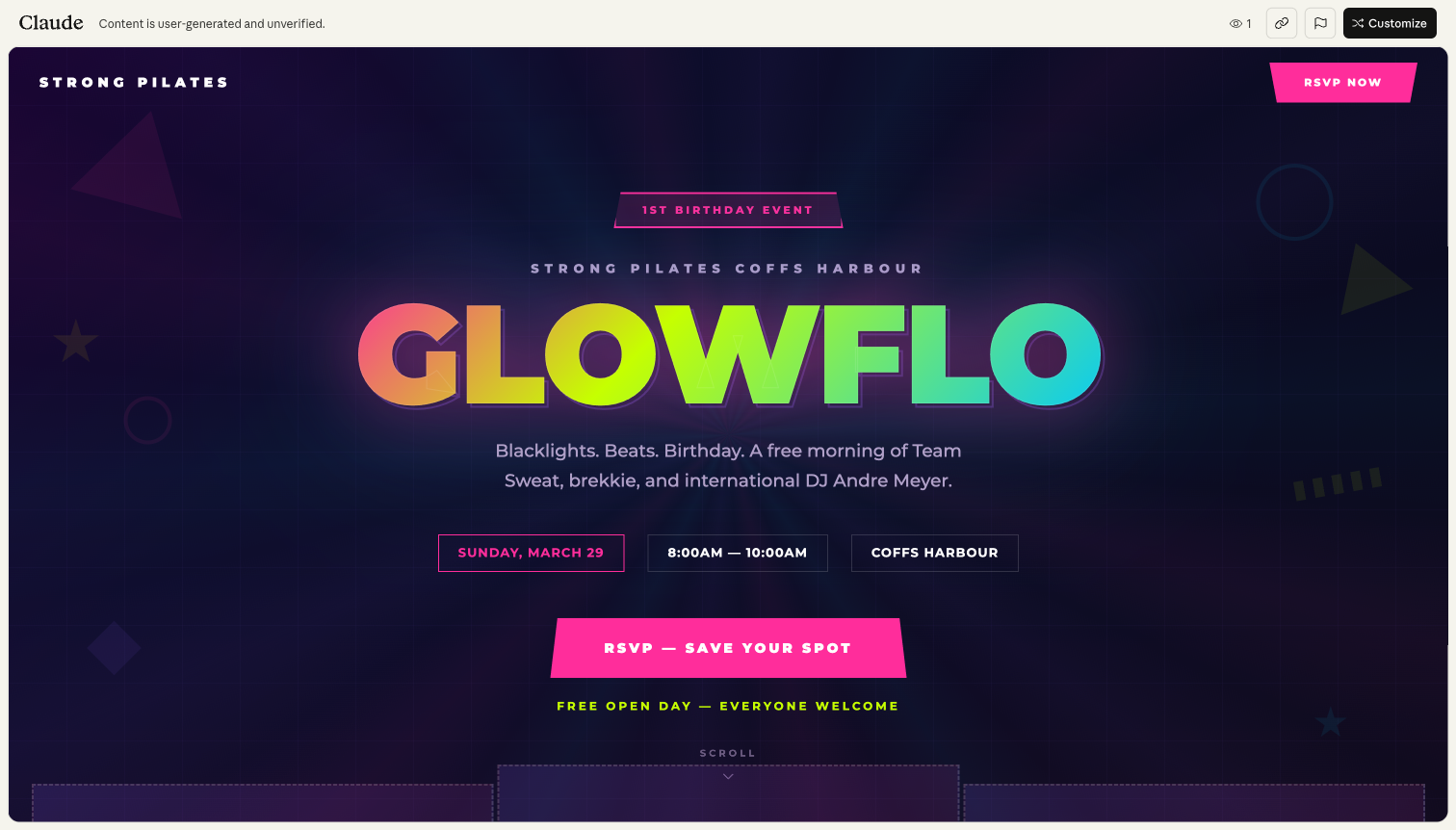
11 applications. 16+ documents. 2 landing pages. Zero lines of code written by me. Everything below is live and running in our business today.
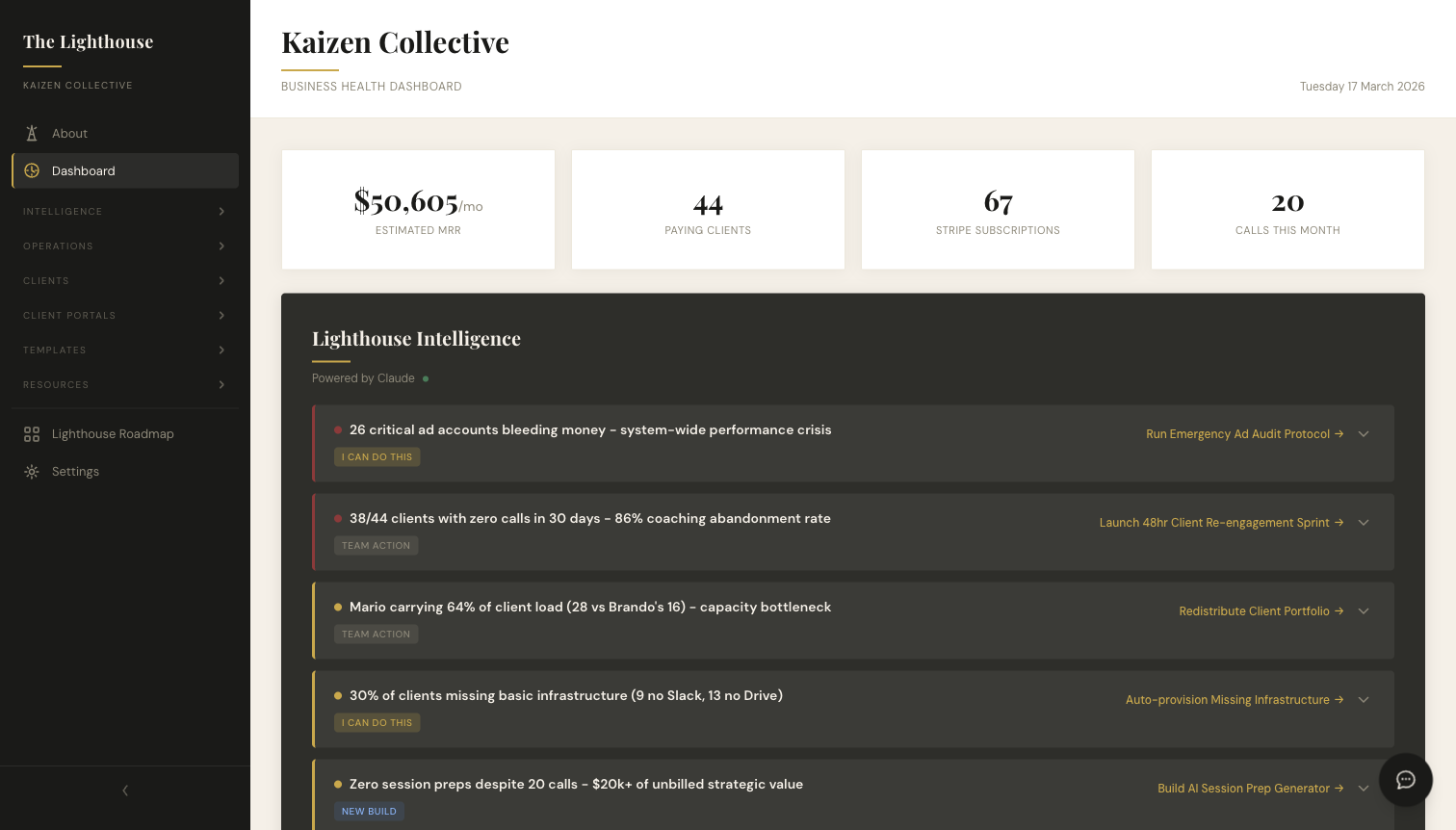
The Lighthouse LIVE
Kaizen's AI operating system. Ingests data from Instagram, Meta Ads, CRM, Slack, coaching calls, and Stripe — scores client health automatically and generates AI recommendations with one-click actions.
Built in 3 weeksCRM Dashboard LIVE
Tracks six core metrics across 50+ client locations in real time. The coaching team uses it daily to spot which clients need attention.
Built in 2 days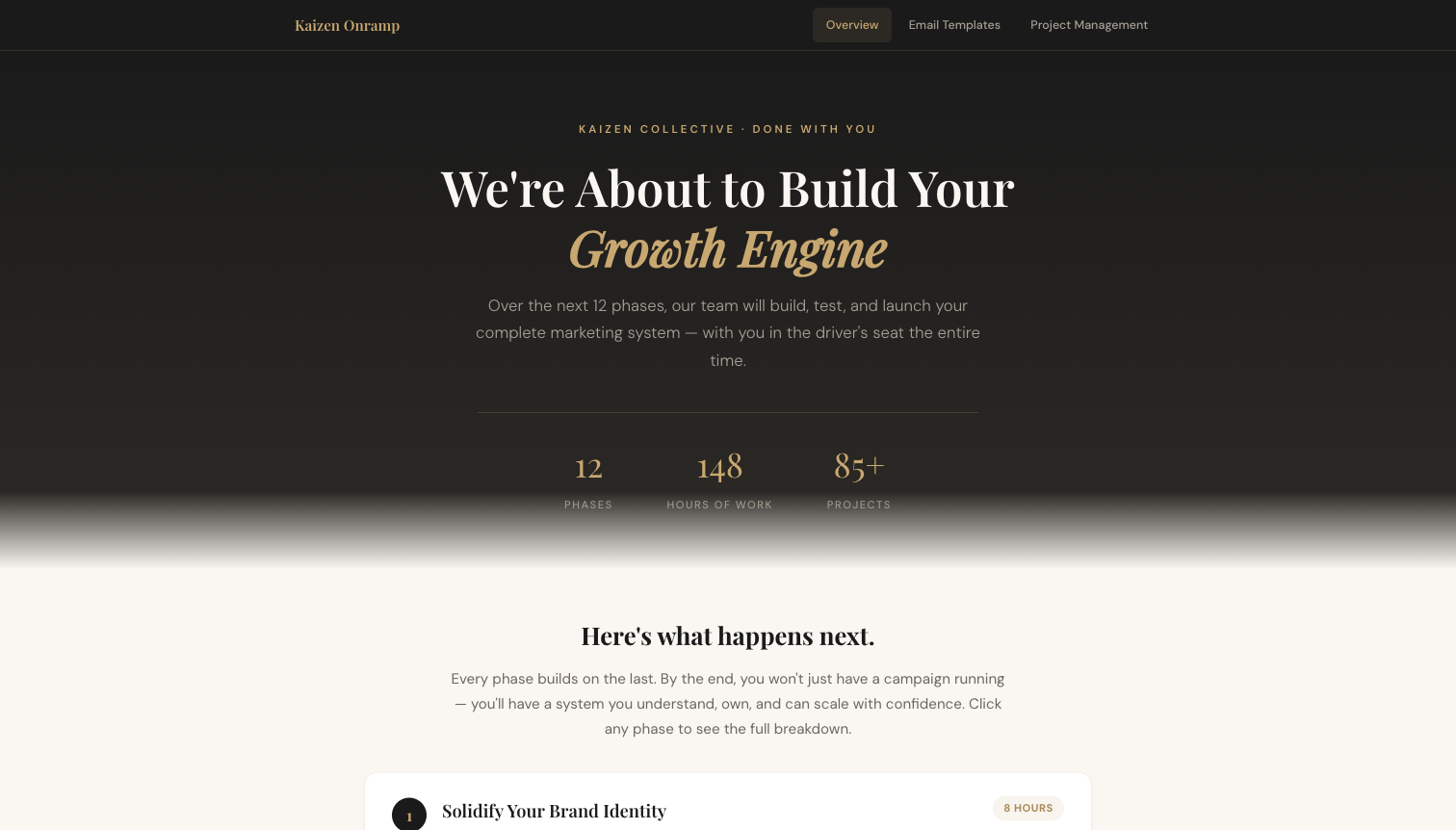
Onboarding Deck LIVE
12 phases, 261 tasks, fully documented. Every new client gets a structured project with assigned tasks, due dates, and progress tracking.
Built in 1 dayDaily Slack Report LIVE
Scans 40 client Slack channels every morning at 5:57am. Categorises every client as red, orange, or green before the team wakes up. Runs 3x daily with automated follow-ups.
Fully automated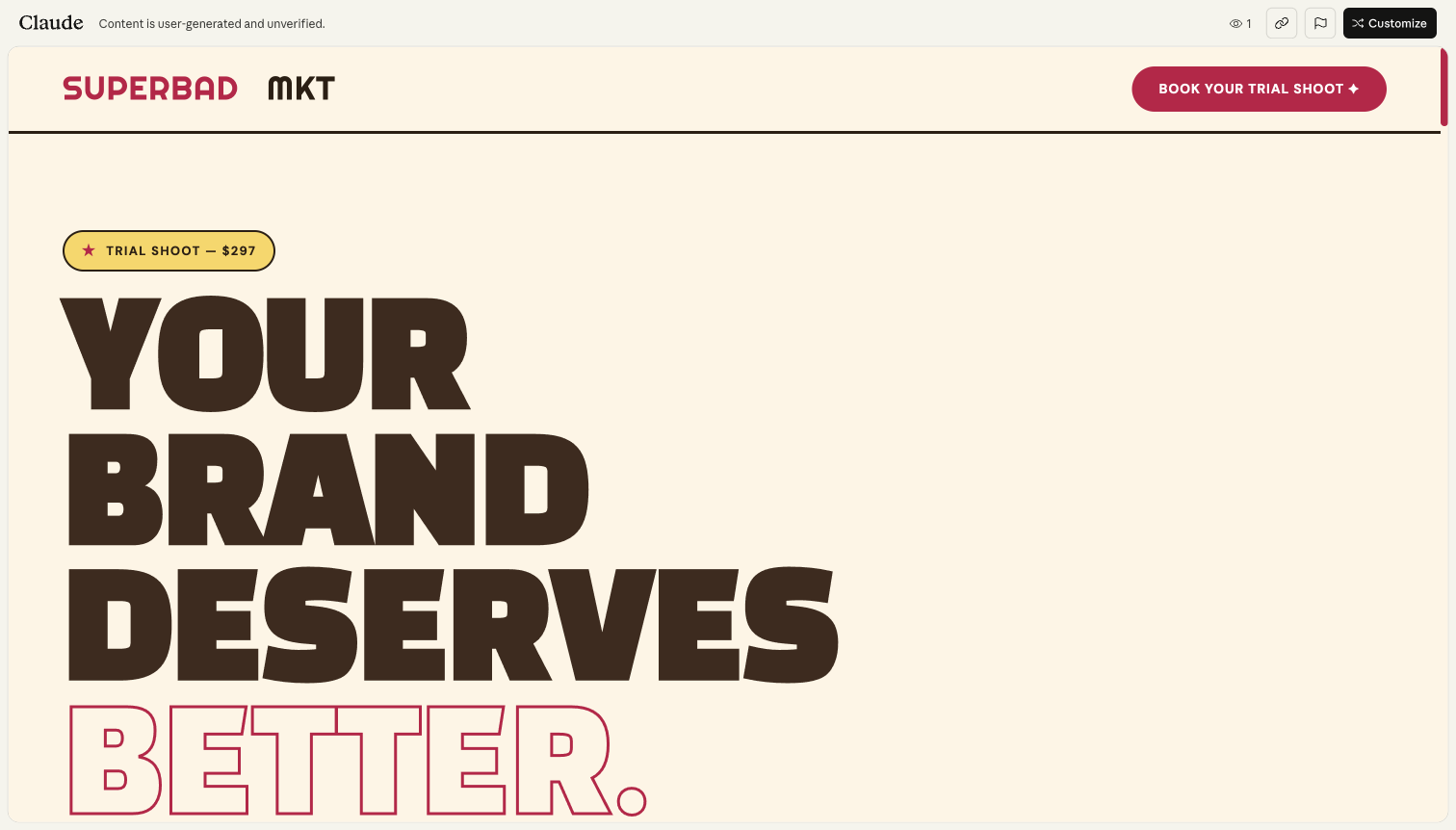
Stop Reading. Try This.
Open claude.ai in another tab. Try these three prompts. Come back when your jaw's off the floor.
Open Claude →Free to use. No credit card needed.
The Question Test
Copy this prompt and paste it into Claude. Then paste the same prompt into ChatGPT. Watch what happens.
I run a [gym/pilates studio/coaching practice] doing about $[X]k per month. I want to grow but I feel stuck. What should I do?
Replace the brackets with your real numbers. Notice: Claude will ask you questions before answering. ChatGPT will give you a list.
💡 This is the difference. ChatGPT assumes it knows enough. Claude knows it doesn't — and asks for the context it needs to give you something specific.
The Voice Test
Find something you've written recently — an email, an Instagram caption, a message to a client. Paste it in with this prompt:
Here's something I wrote recently for my business:

[paste your text here]

Analyse my writing style — tone, sentence structure, word choices, personality. Then rewrite the text in a way that keeps my voice but makes it sharper and more compelling. Explain what you changed and why.
Claude doesn't just rewrite — it shows you what it heard in your voice. This is the foundation of everything that comes later.
The Pushback Test
Describe a decision you're currently wrestling with. Something real. Then add one line at the end:
I'm thinking about [describe your business decision — a new offer, a price change, a hire, a pivot, a marketing shift].

Before you help me execute this, tell me everything that could go wrong. Challenge my assumptions. Find the holes in my thinking. Be direct.
This is where Claude earns its keep. It won't agree with you just to be helpful. It'll tell you what you might be missing — and that's worth more than any template.
Save Your Results.
Screenshot or copy what Claude gave you. These are your "before" outputs — generated without any business context loaded.
Raw prompts, no context. Claude is working blind — and it's already better than what you're used to.
Same brain, full context. Your business profile, your voice, your numbers, your goals — all loaded. The difference isn't subtle.
The setup takes 15 minutes. The improvement is permanent.
Ready to load your context and put Claude to work? Let's build your foundation documents.
The Prompt Vault →Get Set Up.
Three steps. Takes 5 minutes. Then we'll put Claude to work.
Create Your Account
Go to claude.ai and sign up. The free plan works to start, but the Pro plan ($20 USD/month) gives you Projects, more messages, and access to the best models.
Use your business email. You'll want this tied to your work, not your personal account.
Download the App
Claude is available on desktop (Mac and Windows) and mobile (iOS and Android). Download it so you have access everywhere — not just in a browser tab you'll forget about.
The mobile app is particularly useful. You can talk to Claude while you're between sessions, on your commute, or lying in bed at 11pm with a business idea you need to pressure-test.
Create Your First Project
This is important. In the Claude sidebar, click "Projects" then "Create Project." Name it your business name — e.g. "Body By Brando" or "CrossFit TruePhorm."
A Project is Claude's persistent memory. Every conversation you start inside this Project will have access to all the documents you upload to it. This is the container for everything you build from here.
Once your Project is created, open a new conversation inside the Project (not from the main chat). That's where you'll paste your first prompt.
Important: Make sure you're starting conversations inside your Project, not from the main Claude chat. If you're in the right place, you'll see your Project name at the top of the conversation.
The Prompt Vault.
Engineered prompts that turn Claude into your strategic architect. Copy, paste, and let Claude lead.
How these work: Each prompt instructs Claude to run a diagnostic conversation — asking you deep questions about your business before producing the document. Don't edit the prompts. Just paste them and answer honestly.
Before You Start — Common Questions
Where do I paste these prompts?
Inside your Project. Go to Projects in the sidebar, open the Project you created (your business name), start a new conversation, and paste the prompt there. If you can see your Project name at the top of the conversation, you're in the right place.
Do I open a new chat for each prompt, or stay in the same one?
Start a new conversation for each prompt. Each document is its own conversation inside the same Project. Claude will still have access to all your uploaded documents across every conversation — but keeping them separate keeps things clean and easy to find later.
How do I edit the document after Claude generates it?
Just tell Claude what to change. After it produces the document, type something like: "In the Target Market section, add that we primarily work with women aged 25-45" or "Make the Origin Story section more personal — mention that I started with 3 clients in a park." Claude will regenerate the document with your changes. You can do this as many times as you need.
What if Claude's output isn't great?
Scroll to the bottom of this page — there's a full section called "When the Output Isn't Right" with copy-paste refinement prompts and the Feedback Formula. The short version: the quality of the output matches the quality of your answers. If you gave Claude vague answers, tell it to ask you again with more specific questions.
The Business Profile Builder
Turns Claude into a strategic interviewer that maps your entire business — history, model, team, market, philosophy, and goals — into a single reference document.
You are a strategic business consultant conducting a deep-dive discovery session. Your job is to build a comprehensive Business Profile document for my business.

IMPORTANT RULES:
- Ask me ONE question at a time. Wait for my answer before asking the next.
- Start with the first question below. Based on my answer, ask natural follow-up questions before moving to the next topic. Dig deeper when my answer is vague or surface-level.
- Do not summarise or produce any document until you've covered ALL topics below.
- If I give a short or unclear answer, push back. Ask me to be more specific. Say things like "Can you give me a specific example?" or "What does that actually look like day-to-day?"
- Your tone should be warm, direct, and curious — like a smart colleague trying to genuinely understand the business.

TOPICS TO COVER (in this order):

1. BUSINESS BASICS: What's the business called? What do you do, in plain language? When did you start, and what was the original reason — what problem were you trying to solve?

2. FOUNDER STORY: What's your background? What were you doing before this? What specific experience or moment led you to start this business? What skills from your past career carry into how you run things now?

3. BUSINESS MODEL: How does the business actually make money? Walk me through your revenue streams. What's your pricing structure? What does your delivery model look like — in-person, online, hybrid? What's your capacity — how many clients can you serve at once?

4. TEAM STRUCTURE: Who's on your team? What does each person do? Where are the gaps? What do you personally spend most of your time on — and what do you wish you could hand off?

5. TARGET MARKET: Who is your ideal client? Not demographics — tell me about the person. What are they struggling with when they find you? What have they already tried? What do they actually want (not what they say they want)?

6. COMPETITIVE POSITIONING: Who else does something similar in your market? What do they do well? What do they get wrong? Why would someone choose you over them — and be honest, not aspirational?

7. CORE VALUES & OPERATING PHILOSOPHY: What do you believe about business that most people in your industry would disagree with? What are the non-negotiable principles you run the business by? How do you want clients to feel when they work with you?

8. CURRENT STATE: What's working right now? What's broken or frustrating? Where are you losing time, money, or energy? If you had to name the single biggest constraint in the business today, what would it be?

9. 12-MONTH VISION: Where do you want to be in 12 months — revenue, team, lifestyle, impact? What needs to change to get there? What are you most afraid might get in the way?

Once you've gathered all of this, produce a structured BUSINESS PROFILE DOCUMENT with the following sections:
- Business Overview (name, founded, location, industry, model)
- Founder Profile
- Origin Story
- Revenue Model & Pricing
- Team Structure
- Target Market
- Competitive Landscape
- Core Values & Philosophy
- Current State Assessment
- 12-Month Strategic Goals
- Key Constraints & Opportunities

Format it professionally with clear headers. Write it in third person, present tense. Make it specific — no generic filler.

Start now. Ask me your first question.
The Ideal Client Deep-Dive
Maps your ideal client at every level — demographics, psychology, behaviour, hidden motivations, and buying patterns — producing a document you can hand to your marketing team or load into Claude for future content.
You are a strategic marketing consultant and behavioural analyst. Your job is to help me build a comprehensive Ideal Client Profile for my business.

IMPORTANT RULES:
- Ask me ONE question at a time. Wait for my answer before moving on.
- Go deep. If I give you a surface-level answer, push back. Ask "Why does that matter to them?" or "What's really going on underneath that?" at least once per topic.
- Use diagnostic thinking: the visible problem is rarely the real problem. Help me uncover the root-cause pain, not just the symptom they'd tell a friend about.
- Do not produce any document until all topics are covered.
- Your tone: direct, curious, occasionally challenging. You're helping me see my client more clearly than I currently do.

TOPICS TO COVER (in this order):

1. DEMOGRAPHICS: Who is this person? Age range, gender split, location, income level, family situation, education. But don't stop there — what's their job title or business type? How long have they been doing it?

2. A DAY IN THEIR LIFE: Walk me through their typical day. When do they wake up? What's the first thing they think about? What stresses them out by 10am? What does their evening look like? I want to feel what their daily experience is.

3. SURFACE-LEVEL PAIN: What problem do they think they have? What would they type into Google? What would they tell a friend over coffee they're struggling with?

4. ROOT-CAUSE PAIN: Now go deeper. What's actually driving that problem? Is it a skills gap, a systems gap, a beliefs problem, or an identity issue? What are they afraid of that they wouldn't say out loud? What need are they trying to meet — certainty, significance, connection, growth?

5. WHAT THEY'VE TRIED: What solutions have they already attempted? Courses, coaches, apps, DIY approaches? Why didn't those work? What did those experiences make them believe about getting help?

6. BUYING BEHAVIOUR: How do they make decisions? Fast or slow? Do they need social proof, logic, or emotion? Who else influences their decisions — partner, business partner, mentor? What's their relationship with spending money on their business?

7. OBJECTIONS — STATED VS REAL: What objections do they voice when considering your offer? "It's too expensive," "I don't have time," "I need to think about it." Now tell me — what's the real objection underneath each one?

8. ASPIRATIONS — STATED VS UNSTATED: What do they say they want? More revenue, more clients, more freedom? Now what do they actually want underneath that — identity, respect, safety, meaning? What does their ideal life actually look like if everything worked?

9. WHERE THEY SPEND ATTENTION: Where are they online — which platforms, which accounts do they follow, what content do they engage with? Where are they offline — events, communities, spaces? Who do they already trust?

10. WHY THEY CHOSE YOU: For clients who've already bought — what was the real reason they chose you over alternatives? What moment or message tipped them over? What did they say in their first session that revealed their true motivation?

11. TRANSFORMATION: What does "before" look like in specific, measurable terms? What does "after" look like? Not just feelings — what changes in their daily life, their bank account, their confidence, their relationships?

Once all topics are covered, produce an IDEAL CLIENT PROFILE DOCUMENT with these sections:
- Client Snapshot (demographics, psychographics, one-line summary)
- A Day in Their Life (narrative paragraph)
- The Pain Stack (surface pain → root cause → underlying need)
- Failed Solutions & Resulting Beliefs
- Buying Psychology (decision style, influences, objection map)
- Aspiration Map (stated goals → unstated desires → identity shift)
- Attention Map (online platforms, offline spaces, trusted voices)
- The Transformation (specific before/after)
- Key Messaging Triggers (phrases, angles, and emotional hooks based on everything above)

Write it in second person for the narrative sections and third person for the analytical sections. Make it vivid and specific.

Start now. Ask me your first question.
The Offer Architect
Builds a complete offer document — the strategic blueprint underneath your sales page. Maps the transformation, mechanism, pricing logic, objection handling, and positioning.
You are a strategic offer designer and positioning consultant. Your job is to help me build a comprehensive Offer Document for one of my products or services.

IMPORTANT RULES:
- Ask me ONE question at a time. Wait for my answer before continuing.
- Think like a buyer, not a seller. Challenge me when my answer sounds like marketing speak instead of real value. Ask "Why would someone pay for that?" and "What happens if they don't buy this?"
- If my offer sounds generic, push back. Help me find the specific mechanism or angle that makes it distinct.
- Do not produce any document until all topics are covered.
- Tone: strategic, direct, collaborative. You're helping me build something that sells because it's genuinely well-designed, not because it's hyped up.

TOPICS TO COVER (in this order):

1. THE OFFER BASICS: What's the name of this offer? Who is it for — specifically? What's the price point, and is that a one-time fee, recurring, or something else?

2. THE TRANSFORMATION: What state is the buyer in before they start? Be specific — not just "struggling" but what does struggling look like in their daily life? What state are they in after? What's measurably different?

3. THE MECHANISM: How does this actually work? Not features — walk me through what happens from the moment they buy. What's the process, the methodology, the system? Why does THIS approach work when other things they've tried haven't?

4. SPECIFIC DELIVERABLES: What do they actually get? List everything — sessions, templates, tools, access, support. For each one, tell me why it matters (not just what it is).

5. TIMELINE & MILESTONES: How long does it take to see results? What does progress look like at Week 1, Month 1, Month 3?

6. PRICING LOGIC: Why is it priced the way it is? What's the value relative to the price? What's the cost of NOT solving this problem for another 6-12 months?

7. IDEAL BUYER: Who is this perfect for? And equally important — who is this NOT for?

8. OBJECTION MAP: What are the top 5 objections you hear? For each one, what's the real concern underneath it, and what's the honest response?

9. COMPETITIVE POSITIONING: What are the alternatives? What's the specific reason your offer is the better choice?

10. RISK REVERSAL: Is there a guarantee? A trial? A reduced-risk entry point?

11. POSITIONING STATEMENT: In one paragraph, how would you describe this offer to someone at a dinner party?

Once all topics are covered, produce an OFFER DOCUMENT with these sections:
- Offer Overview (name, price, format, duration, ideal buyer)
- The Transformation (before state → after state, with specifics)
- The Mechanism (how it works, what makes it different)
- What's Included (deliverables with context)
- Timeline & Milestones
- Pricing & Value Justification
- Ideal Buyer / Not For
- Objection Handling Guide
- Competitive Positioning
- Risk Reversal
- Positioning Statement
- Key Sales Messaging (3-5 angles for marketing)

Format it professionally. Write it in a way that could be handed to a copywriter, a sales team member, or loaded into an AI tool for content generation.

Start now. Ask me your first question.
The Brand Voice Blueprint
Extracts your brand's personality, voice, visual preferences, and communication rules into a guidelines document you can hand to any team member, designer, or copywriter.
You are a brand strategist and communication designer. Your job is to help me build a comprehensive Brand Guidelines document for my business.

IMPORTANT RULES:
- Ask me ONE question at a time. Wait for my answer before continuing.
- Brand is not just visuals — it's voice, values, and the feeling someone gets when they interact with you. Go deep on the intangible stuff, not just colours and fonts.
- If I say something vague like "professional but friendly," push me to be specific. Ask for examples. Ask "What does that sound like in an email?" or "Show me a post you've written that felt right."
- Do not produce any document until all topics are covered.
- Tone: creative but structured. You're helping me define something that already exists but hasn't been articulated yet.

TOPICS TO COVER (in this order):

1. BRAND PERSONALITY: If your brand walked into a room, what would people notice first? Describe your brand as if it were a person — how do they talk, what do they wear, how do they make people feel? Give me three personality traits that are non-negotiable.

2. VOICE & TONE: How do you communicate — direct, warm, academic, casual, provocative? What's the ratio of serious to playful? Does your tone shift between channels?

3. WORDS YOU LOVE: What words or phrases do you naturally use all the time? Give me 5-10 words that are "yours."

4. WORDS YOU'D NEVER USE: What words make you cringe? What language do your competitors use that you actively avoid?

5. WRITING STYLE: Short sentences or long? Paragraphs or bullet points? Do you use emojis? How do you start emails? How do you sign off?

6. HOW YOU WANT TO BE PERCEIVED: When someone describes your business to a friend, what do you want them to say? What would be the worst misperception?

7. BRANDS YOU ADMIRE: Name 2-3 brands whose communication you respect. What specifically do you like? Now name 1-2 you'd never want to sound like.

8. VISUAL IDENTITY: Do you have existing brand colours? What colours feel right — and wrong? Fonts? Imagery style?

9. CONTENT PREFERENCES: What formats work best for your audience? What topics do you love talking about? What do you refuse to touch?

10. FORMALITY SPECTRUM: On a scale from "corporate boardroom" to "mate at the pub," where does your brand sit?

Once all topics are covered, produce a BRAND GUIDELINES DOCUMENT with these sections:
- Brand Overview (one-paragraph brand essence)
- Brand Personality (3-5 traits with descriptions)
- Voice & Tone Guide (with do/don't examples)
- Language Rules (words to use, words to avoid)
- Writing Style Guide (structure, formatting, punctuation, emoji rules)
- Perception Goals
- Brand Inspirations (with notes on what to borrow)
- Visual Identity (colours, fonts, imagery)
- Content Guidelines (formats, topics, frequency)
- Channel-Specific Notes
- Quick Reference Card (one-page cheat sheet)

Make it practical — usable by anyone on the team, not just the founder.

Start now. Ask me your first question.
The Claude Project Setup Guide
The meta-prompt. Walks you step-by-step through setting up a Claude Project with all four documents loaded as permanent context. Every future conversation starts with Claude already knowing your business.
You are a setup assistant helping me configure a Claude Project for my business. Walk me through this step-by-step, confirming each step is done before moving to the next.

IMPORTANT RULES:
- Guide me ONE step at a time. Wait for my confirmation before proceeding.
- Be specific with click-by-click instructions. Don't assume I know where things are.
- If I get stuck or confused, troubleshoot patiently.
- This should take about 10 minutes.

STEP 1: CREATE THE PROJECT
- Walk me through clicking "Projects" in the left sidebar of claude.ai
- Help me create a new Project named "[My Business Name] — HQ"
- Confirm it's created before moving on

STEP 2: WRITE CUSTOM INSTRUCTIONS
- Guide me to the Project Settings where I can add custom instructions
- Help me write a custom instruction block that includes:
  * My role and business name
  * The tone and voice Claude should use (direct, strategic, no fluff)
  * A rule that Claude should ask clarifying questions before producing long documents
  * A rule that Claude should push back if my thinking has gaps
  * A note that Australian English should be used
- Review my draft and suggest improvements before I save it

STEP 3: UPLOAD FOUNDATION DOCUMENTS
- Walk me through uploading documents to the Project knowledge base
- The four documents to upload are:
  1. Business Profile
  2. Ideal Client Profile
  3. Offer Document
  4. Brand Guidelines
- If I haven't created all four yet, tell me which to prioritise (Business Profile first, then Brand Guidelines)
- Confirm each upload

STEP 4: TEST THE SETUP
- Help me run a test conversation inside the Project
- Suggest 3 test questions:
  * One about my target market (to test ICP knowledge)
  * One about my brand voice (to test Brand Guidelines)
  * One about my business model (to test Business Profile)
- Help me evaluate whether the answers feel accurate

STEP 5: NEXT STEPS
- Suggest 3 practical things for my first week:
  * Draft a piece of marketing content using my brand voice
  * Build a client-facing SOP or process document
  * Use Claude as a sounding board for a decision I'm wrestling with
- Remind me that the more I use the Project, the better Claude gets

Start now. Let's begin with Step 1.
The first output is a draft. The magic is in the iteration. Here's how to push Claude until it gets there.
If Claude gives you something generic, it's not Claude's fault. It means the answers you gave weren't specific enough — or you accepted the first draft instead of refining it.
The best outputs come from 2-3 rounds of feedback. Here's exactly what to say.
Too Generic
Claude gave you something that could apply to any business.
That's too broad. Here's what makes my business specifically different from others in this space:

[Explain your specific difference — your methodology, your niche, your delivery model, your origin story]

Rewrite with that specificity. Every sentence should be something only MY business could say.
Wrong Tone
It sounds like AI, not like you.
This doesn't sound like me. Here's how I actually communicate:

[Paste a real email, caption, or message you've written]

Notice the sentence length, the rhythm, the words I reach for. Adjust the voice to match — less formal, more [direct/warm/casual/sharp]. Remove any words I would never say.
Too Long
Claude over-explained. You need it tighter.
Cut this by half. Keep only the parts that are specific to my business. Remove anything that could apply to any business in my industry. If a section doesn't earn its place, delete it.
Missed the Point
Claude focused on the wrong thing.
You've focused on [X] but the real constraint in my business is [Y]. Let me explain why that matters more:

[Explain the actual problem]

Rewrite the [section/document/strategy] with this as the central focus.
Surface-Level
Claude told you what you already know.
Go deeper. What you've written is what I already know. I need the insight I haven't considered — the pattern I'm too close to see, the assumption I'm making that might be wrong, the constraint I'm not acknowledging. Tell me something that makes me uncomfortable.
Three lines. Use this pattern every time Claude gives you a draft that's close but not there yet.
Step 1: Tell Claude what's working. "The structure is solid and the tone is close."
Step 2: Tell Claude what's not. "But section 3 is too generic and the opening doesn't hook me."
Step 3: Give Claude a specific example. "Here's how I'd actually say that opening line: '[your version]'. Match that energy."
That's it. Working → not working → example. Three lines. Claude gets dramatically better on the second draft when you give it this kind of structured feedback.
One prompt you can use at the end of any conversation to catch what Claude missed.
The Self-Challenge
Ask Claude to audit its own work before you accept it.
Before I accept this — challenge your own output. What assumptions did you make that might be wrong? What would you change if you knew more about my business? What's the weakest section and how would you strengthen it? Be direct.
This one prompt catches 80% of the gaps. Claude will identify the weak spots, explain its assumptions, and offer a better version — without you needing to figure out what went wrong.
You've built the foundation. Now see what it unlocks.
What's Next →The Daily Playbook.
Short, sharp prompts for the work you do every week. These are designed to be used inside your Project — Claude already has your context. Just copy, paste, and go.
These are different from the Prompt Vault. The Vault builds your foundation documents (one-time setup). The Playbook is what you use daily — content, sales, ops, strategy. Each prompt assumes your Business Profile, ICP, Offer Doc, and Brand Guidelines are already loaded in your Project.
Content & Marketing
The prompts you'll reach for most. Content that sounds like you, not like AI.
Weekly Content Plan
Generates seven days of Instagram content ideas built around your actual offer, your actual audience, and what's happening in your business right now. Use it Sunday night or Monday morning.
Write me a 7-day Instagram content plan for this week.

Use my ICP, current offers, and brand voice from this Project. Every post idea should connect back to a specific pain point, desire, or objection my audience actually has — no generic "motivation Monday" filler.

For each day, give me:
- Content format (reel, carousel, static, story sequence)
- The specific angle or hook
- A one-line description of the post
- Which part of my offer or methodology it ties back to

Mix educational, personal/behind-the-scenes, and direct CTA posts across the week. At least 2 should be the kind of post that makes someone DM me or click my link.

Do not suggest any content that could come from any business in my industry. Every idea should only make sense coming from MY business, referencing MY specific audience and what I actually deliver.
Instagram Caption Writer
Writes a ready-to-post caption in your voice. Tell it what you're posting and it does the rest — hook, body, CTA, formatted properly. Use it when you're staring at a blank caption box.
Write me an Instagram caption for this post:

[Describe what you're posting — photo, video, carousel, what it shows or covers]

Use my brand voice and guidelines from this Project. The caption should sound exactly like me talking to my audience — not like a copywriter, not like AI.

Structure it as:
- A hook (first line that stops the scroll — short, punchy, specific to my audience)
- Body (3-6 short paragraphs that deliver value or tell a story — use line breaks between each)
- CTA (one clear call to action that fits what I'm currently offering)
- 3-5 hashtags max, relevant to my niche and location

Every sentence must pass this test: "Would I actually say this out loud to a client?" If the answer is no, rewrite it. Do not use any phrases that aren't in my brand voice.
Email Sequence Builder
Creates a full multi-email sequence with subject lines, body copy, and CTAs — all in your voice. Use it for welcome sequences, launch runways, re-engagement campaigns, or anything that needs multiple emails working together.
Build me an email sequence for: [describe the purpose — e.g., "welcome sequence for new quiz leads," "4-email launch for my January challenge," "re-engagement for people who haven't opened in 60 days"]

Use my brand voice, ICP, and offer details from this Project. Every email should sound like a personal message from me, not a marketing newsletter.

For each email, give me:
- Email number and send timing (e.g., Email 1 — immediately, Email 2 — Day 2)
- Subject line (plus one alternative subject line)
- Preview text
- Full body copy, written in my voice with short paragraphs
- One clear CTA per email
- A brief note on the strategic purpose of that email in the sequence (what it's doing psychologically)

The sequence should have a logical emotional arc — don't just repeat the same pitch in different words. Each email should earn the right to send the next one. Reference specific problems my ICP faces and specific outcomes my offer delivers. Nothing generic.
Ad Copy Generator
Creates three variations of Meta ad copy — primary text, headline, and description — each hitting a different psychological angle. Use it when you're launching a campaign and need options to test.
Write me 3 variations of Meta ad copy for: [describe the campaign — what you're promoting, who it's targeting, where they land]

Use my ICP, offer details, and brand voice from this Project. Each variation should hit a different psychological angle:

1. Pain angle — lead with the frustration or problem my audience is living with right now
2. Aspiration angle — lead with the outcome or transformation they want
3. Proof angle — lead with a result, testimonial theme, or credibility marker

For each variation, give me:
- Primary text (2-4 short paragraphs — hook must stop the scroll in the first line)
- Headline (under 40 characters, punchy)
- Description (one line, supports the headline)

Write the primary text like I'm talking directly to one person, not broadcasting to an audience. No ad-speak. No "Are you a [type of person] who [pain point]?" openers — that format is dead. Make the hook feel like something they'd overhear and lean in to listen.

Every line should reference something specific to my business, my audience, or my local area — nothing that could be copy-pasted onto a competitor's ad.
Content Repurposer
Takes one long piece of content and breaks it into a week's worth of social posts, email snippets, and quote graphics. Use it when you've recorded a podcast, written a blog, or run a training and want to squeeze every drop of value out of it.
Here's a piece of long-form content I created. Break it down into repurposed content pieces, all in my brand voice:

---
[Paste your content here — blog post, podcast transcript, training notes, long video script]
---

Using my brand voice and ICP from this Project, extract and create:

1. 5-7 Instagram posts — each one a standalone idea from the original content. Give me the hook, a brief caption outline (3-4 lines), and the format (reel script, carousel slides, static quote). Each post should make sense on its own without needing the original.

2. 2-3 email snippets — short value-packed paragraphs I can drop into my next few emails, each ending with a natural segue to my offer or CTA.

3. 3-5 quote graphics — pull the most quotable, screenshot-worthy lines. Clean them up so they hit hard as standalone text on an image. Keep them under 20 words each.

Don't just chop the content into smaller pieces. Reframe each piece for the platform it's going on. A carousel teaches differently than a reel. An email reads differently than a caption. Adapt the angle and format, not just the length.
Competitor Content Audit
Paste a competitor's content and get a breakdown of what's working, what's weak, and a better version written in your voice and positioning. Use it when you see a competitor doing well and want to understand why — then do it better.
Here's a piece of content from a competitor in my space. Audit it, then write a better version in my voice:

---
[Paste the competitor content here — ad copy, Instagram caption, website copy, email]
---

Using my brand voice, ICP, and offer positioning from this Project, do three things:

1. Audit (what's working and what's not)
- What's the hook doing well (or not)?
- What psychological triggers are they using?
- Where does the copy lose energy or get generic?
- What's their implicit positioning vs. mine?
- What audience objections does it miss?

2. Gap analysis (where I can win)
- What can I say that they can't, based on my unique positioning, experience, and offer?
- What does my ICP care about that this content ignores?

3. My version
- Rewrite the concept (not the exact copy) in my brand voice and from my positioning. Same general topic, completely different execution. It should be obvious this came from my business, not theirs.

Do not copy their structure or phrases. I want to understand their strategy, then beat it with mine.
Sales & Conversion
Turn enquiries into clients. Without sounding like every other business in their inbox.
Re-Engage a Cold Lead
Write a follow-up message for someone who enquired but went quiet. Not a "just checking in" — a message that reopens the conversation by referencing their situation. Use when a lead has gone cold for 3-14 days.
Write me a follow-up message for a lead who went quiet. Here's what I know about them:

[Describe: their name, what they enquired about, any details they shared about their situation, how long ago they reached out, which channel — DM, phone, in-person]

Use my brand voice and keep it under 4 sentences. Reference something specific about their situation — not a generic "just following up." The goal is to restart a real conversation, not pressure them. No exclamation mark overload. Write it how I'd actually text or DM someone.
Handle This Objection
Paste in an objection you keep hearing and get three natural responses — empathetic, reframe, and direct. Use when you need to prepare for common pushback or just got hit with one on a call.
I keep getting this objection from prospects:

"[Paste the exact objection in their words]"

Give me 3 response options I can use in a real conversation:
1. Empathetic — validate their concern, then gently redirect
2. Reframe — help them see the situation differently
3. Direct — confident and honest without being pushy

Each response should be 2-4 sentences max, sound like something I'd actually say out loud, and connect back to the specific problem my offer solves for my ICP. No cheesy sales lines. No "I totally understand." Write it like a real human conversation.
Prep Me for This Sales Call
Brief yourself before a discovery or consult call. Describe what you know about the prospect and get a tailored game plan — questions, objection prep, which parts of your offer to lead with. Use 10 minutes before any call.
I have a sales call coming up. Here's what I know about the prospect:

- Name:
- Business type:
- How they found me:
- What they said when they enquired:
- Anything else I know about their situation:

Based on my offer and ICP, give me:
1. 3-4 discovery questions to uncover their real problem (not surface-level)
2. 2-3 objections they're likely to raise, with a one-line response for each
3. Which parts of my offer to emphasise and why those parts matter for this specific person
4. A loose conversation flow — how to open, transition to discovery, present the solution, and close

Keep it practical. Bullet points, not essays. This is my cheat sheet, not a script.
Write a Personalised Proposal
Create a professional proposal tailored to a specific prospect — their situation, goals, and pain points woven into your offer details. Use after a successful discovery call when you need to send something polished.
Write me a personalised proposal for this prospect:

- Name:
- Their business/situation:
- Main problem they want to solve:
- Goals they mentioned:
- Which offer/package I'm recommending:
- Price:
- Start date or timeline:

Structure it as:
1. Opening — reference their specific situation and what they told me (2-3 sentences, warm, not corporate)
2. The Problem — reflect back what they're dealing with so they feel heard
3. What I'm Recommending — my offer details, framed around their goals, not just a feature list
4. What They Get — deliverables, inclusions, timeline
5. Investment — pricing, payment options if applicable
6. Next Steps — exactly what to do to move forward

Write it in my voice. Professional but human. No "Dear Sir/Madam" energy. This should feel like a message from someone who listened, not a template they've seen before.
Turn Feedback Into Social Proof
Paste in messy client feedback — a text, a review, something they said on a call — and get a polished testimonial, a before/after case study, and social proof snippets for ads or captions. Use whenever a client says something great.
A client gave me this feedback. Here's the raw version:

"[Paste the exact text, review, or paraphrase what they said]"

Context about this client (optional): [their name, how long they've been with you, what they came to you for, any specific results or numbers]

Turn this into:
1. Polished testimonial — clean it up but keep their voice. Don't make it sound like a press release. If it was casual, keep it casual.
2. Before/After case study (4-6 sentences) — what their situation was before, what changed, where they are now. Written so my ICP reads it and thinks "that's me."
3. 3 social proof snippets — short, punchy lines I can drop into ad copy, captions, or my website. One sentence each, max.

Don't exaggerate or add claims they didn't make. Keep it real — authenticity is what makes social proof work.
DM Opener That Starts a Real Conversation
Generate personalised Instagram DM openers based on what a potential client has posted. Not cold outreach — genuine conversation starters. Use when you spot someone in your ICP on social media.
I want to start a conversation with someone on Instagram who looks like they could be a good fit. Here's what I know:

- Their name / handle:
- What their profile is about:
- Something specific they recently posted or shared:
- Why I think they might be a good fit:

Write me 3 DM openers. Each should:
- Lead with something genuine about their content — not a compliment followed by a pitch
- Sound like how I'd naturally start a conversation, not a template
- Have zero selling in the first message — this is about starting a relationship
- Be 1-3 sentences max

If it sounds like something an automation tool would send, rewrite it. I'd rather say less and sound real than say more and sound like every other DM in their inbox.
Operations & Systems
Remove yourself as the bottleneck. Build things that work without you.
Turn Any Process Into an SOP
Describe any repeatable process — however messy or "it's all in my head" — and get a clean, delegatable SOP your team can follow without asking you a single question.
I want to turn this process into an SOP my team can follow without me:

[Describe the process — what it is, when it happens, who's currently involved, and any tools used]

Using what you know about my business and how we deliver, write a step-by-step SOP that includes:
- A clear trigger (what kicks this process off)
- Numbered steps with the responsible person for each
- Time estimate per step
- A quality check at the end so we know it was done right
- A "common mistakes" callout box for anything that typically goes wrong

Write it so someone in their first week could follow it. No jargon, no assumptions. If a step requires a decision, give them the decision criteria — don't send them to me.

Format it as a clean document with headers I can paste straight into our ops wiki.
Staff Training Guide
Create a structured training document for any role or task — from front desk procedures to coaching delivery — so you stop explaining the same thing to every new hire.
I need a training guide for this role/task in my business:

Role or task: [e.g., "Front desk — handling new member enquiries" or "Coach — running a first PT session"]

What they need to be able to do: [brief description of the key responsibilities]

Using what you know about my business, offer, and how we deliver, create a training guide that includes:
- Learning objectives (what they'll be able to do after completing this)
- Pre-requisites (what they should already know or have access to)
- Step-by-step instructions for each core task, written for someone with zero context
- Common mistakes and how to avoid them
- A competency checklist their manager can use to sign them off

Match the tone to my brand — this should feel like us, not a corporate manual. Keep it practical. If there's a way they could accidentally damage the client experience, flag it clearly.
Client Onboarding Sequence
Map out the full journey from "just signed up" to "fully integrated client" — every touchpoint, message, and task assigned to a person and a timeline. Use when you're losing clients in the first 30 days.
Map out a complete client onboarding sequence for my business.

The service/offer being onboarded into: [e.g., "12-week transformation program" or "unlimited membership"]

Using what you know about my offer, delivery model, and ideal client, build a day-by-day onboarding timeline (Day 0 through Day 14, then weekly through Day 30) that includes:
- Every touchpoint (email, SMS, call, in-person) with the actual message or talking points
- Internal tasks (what my team needs to do behind the scenes)
- Who owns each step
- The emotional goal of each touchpoint — what should the client be feeling at this stage?
- A "danger zone" flag for any moment where clients typically disengage or ghost

Design this so the client feels looked after without me being personally involved in every step. The goal is a system that makes every new client feel like a VIP while running on autopilot.
Meeting Agenda Builder
Turn any meeting from a rambling conversation into a tight, outcome-driven session. Describe the meeting and get a structured agenda with time blocks and action items capture.
Build me a meeting agenda for this:

Meeting type: [e.g., "Weekly team huddle", "Quarterly planning session", "1-on-1 with my manager", "Client check-in call"]
Attendees: [who's in the room]
Time available: [e.g., 30 mins, 60 mins]
Key issues or topics to cover: [optional — list anything specific]

Using what you know about my business and team structure, create an agenda that includes:
- Time allocation for each section (must fit the total time available)
- The specific question or decision each section needs to resolve — not just a topic label
- A "parking lot" section for anything that comes up but doesn't belong in this meeting
- An action items template at the bottom (what, who, by when)

Make this tight. No fluff sections. Every minute should move something forward. If this is a recurring meeting, include a standing section for reviewing last week's action items.
Find the Bottleneck
Describe a process that's broken, slow, or frustrating — and get a systems-level diagnosis of where the real constraint is. Use when something keeps going wrong and you can't figure out why.
Something in my business isn't working and I need you to diagnose it like a systems consultant, not just patch it.

The process or area that's broken: [describe it]
What's going wrong: [symptoms — delays, errors, complaints, confusion, dropped balls]
Who's involved: [roles/people touching this process]
What I've already tried: [any fixes attempted]

Using what you know about my business, don't just suggest surface fixes. I want you to:
1. Identify where the actual bottleneck is (not the symptom — the constraint)
2. Explain WHY it's breaking at that point (is it a people problem, a systems gap, a handoff issue, unclear ownership, or a capacity problem?)
3. Propose a redesigned version of this process that removes the bottleneck
4. Tell me what to implement first — the one change that would have the biggest immediate impact

Be direct. If the bottleneck is me, say so. The goal is to build something that doesn't need me in the loop to function.
Weekly Team Update Template
Replace the "how's everything going?" message that gets vague answers with a structured update your team fills in each week. Creates accountability without another meeting.
Create a weekly team update template for my business that my team fills in every [Friday/Monday — pick one].

Using what you know about my business, services, and team structure, build a template that includes:
- Top 3 wins this week (with specifics — not "it was a good week")
- Key numbers: [suggest 4-6 metrics that actually matter for my business, based on what you know about my model]
- Blockers or flags: anything stuck, at risk, or needing a decision
- Client flags: any clients who need attention (new, unhappy, at risk of leaving, big wins)
- Top 3 priorities for next week (with owners)
- One thing to improve or stop doing

Keep the template tight enough to fill in within 10 minutes. Add brief guidance notes under each section so the team knows what "good" looks like — I don't want one-word answers. Format it so I can paste it into Slack or Notion and start using it this week.
Strategy & Thinking
Like having a $500/hour consultant who already knows your business. Use these when you need to think, not just do.
Pressure-Test My Idea
Describe any business idea, decision, or plan and Claude plays devil's advocate — finding holes, challenging assumptions, stress-testing the logic. Use before making any significant move.
I'm considering the following idea/decision for my business:

[Describe your idea, plan, or decision in detail — what you want to do, why, and what you think the outcome will be]

Using what you know about my business, my ICP, my current offer, and my brand positioning from this Project, pressure-test this idea. Act as a trusted senior advisor — not a yes-man.

Specifically:
1. Assumptions Check — What assumptions am I making that might not hold? Challenge each one.
2. Downside Scenarios — What's the realistic worst case? What breaks first?
3. Opportunity Cost — What am I saying NO to by saying yes to this? Is this the highest-leverage move right now?
4. Execution Reality — Do I have the time, team, cash, and systems to pull this off without dropping the ball on what's already working?
5. The Blind Spot — What's the one thing I'm probably not considering because I'm too close to it?
6. Final Verdict — If you were my business partner with skin in the game, would you green-light this, modify it, or kill it? Be direct.

Be specific to MY business — reference my actual numbers, capacity, audience, and market position.
Quarterly Planning Session
A structured 90-day planning session that builds a prioritised roadmap from where you are to where you want to be. Use at the start of each quarter or when you're busy but not progressing.
I want to run a quarterly planning session. Here's my current state:

- Revenue: [current monthly revenue]
- Client count: [number of active clients/members]
- Team: [who's on the team and their roles]
- Biggest win last quarter: [what went well]
- Biggest frustration: [what didn't work or what's dragging]
- Where I want to be in 90 days: [revenue target, client target, lifestyle goal, or key milestone]

Using what you know about my business, offer, and market from this Project, produce:

1. Gap Analysis — The specific gap between where I am and where I want to be, broken into revenue gap, capacity gap, and capability gap.
2. The 3-5 Needle Movers — The highest-leverage priorities for this quarter. Not a 20-item to-do list. The critical few that drive 80% of the result.
3. 90-Day Milestone Map — Month 1 / Month 2 / Month 3 breakdown with specific targets.
4. Key Metrics Dashboard — The 5-7 numbers I should track weekly. Include current number and target.
5. Risk Flags — What could derail this plan and what's the contingency?
6. Weekly Rhythm — What should my ideal week look like to execute on this plan?

Format as a clean planning document I can reference every week.
Pricing Strategy Workshop
Deep analysis of your current pricing with specific recommendations for restructuring, raising rates, or adding tiers. Use when you suspect you're undercharging or need to restructure packages.
I want to rethink my pricing. Here's what's prompting this:

[Describe what's happening — undercharging? Losing clients on price? Want a premium tier? Margins thin?]

My current pricing structure:
[List your current packages/services and their prices]

Using what you know about my offer, ICP, and brand positioning from this Project, cover:

1. Current Model Diagnosis — What's working and broken? Am I leaving money on the table?
2. Value vs. Price Alignment — Based on the transformation I deliver, am I priced correctly?
3. Pricing Architecture — Recommend a specific structure with exact numbers and logic for each tier.
4. Competitive Context — Where should I sit in my market? Premium, value, or stuck in the middle?
5. The Rollout Plan — How to implement without losing current clients. Include communication scripts.
6. Revenue Impact Model — At my current client volume, what does this change do to monthly revenue?

Give me specific numbers, not theory.
New Offer Design
Design a new product, service, or program from scratch — transformation, mechanism, deliverables, pricing, positioning. Use when you want to launch something new or restructure an existing offer.
I want to design a new offer. Here's the rough idea:

- What it is: [brief description]
- Who it's for: [who you think the buyer is]
- Why now: [market demand, capacity, revenue goal, client requests?]
- Price range I'm thinking: [if you have one, or "not sure"]

Using what you know about my business, brand, ICP, and existing offers from this Project, build a complete offer blueprint:

1. The Transformation — Specific before/after state in the buyer's language
2. The Mechanism — The unique method that delivers this result differently from alternatives
3. Deliverables & Structure — Exactly what they get. Duration, format, frequency, access, support.
4. Pricing & Packaging — Recommended price with logic and payment options
5. Ideal Buyer Profile — Perfect buyer's situation, budget, readiness. Who is this NOT for?
6. Positioning & Messaging — One-liner, headline, and 3 key selling points in my voice
7. Cannibalisation Check — Does this compete with my existing offers? How does it fit?
8. Go-to-Market Plan — Simplest path to first 10 sales. Channels, messaging, timeline.

Format as a one-page offer blueprint I can hand to my team.
Revenue & Capacity Model
Input your numbers and Claude builds a projection model showing where you're headed, what levers to pull, and which single change gives the biggest return. Use for financial clarity.
Here are my current business numbers:

- Monthly revenue: $[amount]
- Active clients/members: [number]
- Average revenue per client per month: $[amount]
- New clients per month: [number]
- Client churn per month: [number or %]
- Current capacity: [max clients with current setup]
- Monthly expenses (approx): $[amount]
- Team size: [number]

Using what you know about my business model from this Project, build me a revenue and capacity model:

1. Current Trajectory — Where am I in 3, 6, and 12 months if nothing changes? Revenue, clients, profit. Be honest.
2. The 5 Growth Levers — Model each independently:
   - Price increase (+10%, +20%) — revenue impact and churn risk
   - Volume increase (+2, +5 new clients/month) — what it takes
   - Retention improvement (reduce churn by 25%, 50%) — 12-month revenue impact
   - Upsell/cross-sell (add $X/client/month) — realistic options
   - Capacity expansion (add staff, extend hours) — cost vs. revenue unlock
3. Highest-Impact Lever — Which ONE lever gives the most gain for least effort right now? Why?
4. The Bottleneck — What's the binding constraint? Leads, conversion, capacity, team, or cash?
5. Scenario Comparison Table — Status Quo vs. Best Single Lever vs. Combined — at 3, 6, 12 months.

Use my actual numbers. Show your math.
"What Am I Not Seeing?"
The signature diagnostic prompt. When you feel stuck, overwhelmed, or plateaued but can't pinpoint why — describe your situation and Claude runs it through six diagnostic filters to surface the real constraint. The one you're not acknowledging.
I feel stuck and I need a fresh perspective. Here's what's going on:

[Describe your current situation honestly — what's frustrating you, what feels hard, what you've tried, what's not working. Don't filter it. Stream of consciousness is fine.]

Using everything you know about my business, market, offer, and positioning from this Project, run a full diagnostic. Don't just address what I've told you — look for what I'm NOT telling you. The visible problem is rarely the real problem.

Run my situation through these 6 filters, one at a time:

1. Identity Filter — Am I operating as the person who already has the business I say I want? Or am I clinging to an old identity that's creating the ceiling? What identity shift would dissolve this problem?

2. Beliefs Filter — What belief am I treating as fact that's actually just a story? Look for "I can't because..." or "My market won't..." Name the limiting belief and reframe it.

3. Systems Filter — Is this a people problem or a systems problem? Where's the actual bottleneck in my business engine? What's the highest-leverage fix?

4. Capacity Filter — Am I trying to grow a $[X] business with a $[Y] infrastructure? Is there a mismatch between my ambition and my actual capacity?

5. Market & Offer Filter — Is my offer still aligned with what my market wants right now? Am I solving a problem people will pay to fix?

6. Execution Filter — Am I stuck because I don't know what to do, or because I'm not doing what I already know? Is this a strategy problem or a discipline problem?

After all 6 filters, give me:

- The Real Problem — In 1-2 sentences, name the actual constraint.
- The Level It Lives On — Identity, belief, systems, capacity, market, or execution?
- The One Move — ONE thing I can do in the next 7 days to break through. Specific and actionable.
- The Hard Truth — Tell me the thing I probably don't want to hear but need to. Be direct.

This is a coaching conversation, not a pep talk. Challenge me where I need it.
Client Communication
The messages that maintain relationships, handle difficult moments, and make people feel seen. Say the right thing at the right time.
Re-Engage an Inactive Client
Reach out to a client who's gone quiet — stopped attending, stopped responding, showing signs of disengagement. Use before they cancel, not after.
Write me a re-engagement message for a client/member who's gone inactive.

Here's the context:
- Their name: [NAME]
- How long they've been inactive: [e.g., 2 weeks, 1 month, 3 months]
- What I know about why (if anything): [e.g., injury, got busy, no idea, seemed frustrated last time]
- Last meaningful interaction: [e.g., loved their last session, hit a PB, mentioned work stress]
- How I'm sending this: [text / email / DM]

Using my brand voice, write a short, warm check-in message that:
- Leads with genuine care, not guilt ("we noticed you haven't been in")
- References something specific about them so it clearly isn't a mass message
- Acknowledges that life happens without making assumptions
- Opens the door for them to come back without pressure
- Feels like it came from me personally, not from "the business"

Do NOT use "we miss you!", "it's been a while!", or anything that sounds like an automated retention email. Keep it to 3-5 sentences for text/DM, or a short paragraph for email.
Price Increase Announcement
Communicate a price increase without over-apologising or being defensive. Produces both an email and a short-form version. Use when it's time to raise rates.
Write me a price increase announcement for my clients/members.

Details:
- What's changing: [e.g., membership $55/wk to $60/wk, PT rate $80 to $90]
- When it takes effect: [DATE]
- Why (the real reason): [e.g., increased rent, hired more staff, haven't raised in 2 years]
- What's improved recently: [e.g., new classes, better facilities, extended hours]
- Loyalty considerations: [e.g., existing members locked in for 30 days, early sign-up holds current rate]

Using my brand voice, write two versions:

Version 1 — Email: Clear, honest. Lead with what they've been getting and what's improved. State new pricing simply. Explain reasoning in 1-2 sentences without over-justifying. Mention loyalty consideration if applicable. No subject lines like "Exciting changes ahead!" — be straight.

Version 2 — SMS/Short message: 2-3 sentences. Direct, warm.

Be confident and transparent. Do NOT apologise for the increase. Do NOT use "in order to continue providing you with the highest level of service." Write it like I'd actually say it.
Navigate a Difficult Situation
For when you're staring at a message you don't know how to respond to — a complaint, a boundary being pushed, a refund demand, or a conversation you've been avoiding.
I need help responding to a difficult client situation. Here's what's going on:

- Client name: [NAME]
- The situation: [Describe what happened — paste their message if you have it. What did they say/do, what's the history, what are they asking for?]
- How I feel about it: [e.g., frustrated, guilty, anxious, annoyed, conflicted]
- What outcome I want: [e.g., keep the client but hold the boundary, offer a partial refund, end the relationship professionally, de-escalate without caving]
- How I'm responding: [text / email / phone call — if phone, give me talking points]

Using my brand voice and values, draft a response that:
- Acknowledges their feelings first (even if I disagree)
- Is honest about where I stand without being combative or passive-aggressive
- Holds the boundary clearly, not buried in softening language
- Offers a fair path forward where possible
- Keeps the door open if appropriate, closes it gracefully if not

Write it how I'd actually speak — not corporate HR language. If I need to say no, help me say no like a human who cares but isn't a pushover.

If you see a better way to handle this than what I described, tell me before drafting.
Celebrate a Client Win
When a client hits a milestone or gets a result worth celebrating. Produces a personal message to them plus a social post you can use with their permission. Use while the win is fresh.
One of my clients just had a win I want to celebrate properly.

- Client name: [NAME]
- What they achieved: [Be specific — numbers, milestones, before/after]
- Why it matters (backstory): [e.g., almost quit 3 months ago, been working toward this for a year]
- How long they've been with me: [TIMEFRAME]
- Their personality: [e.g., quiet and humble, loves recognition, would be embarrassed by a fuss]

Write me two things:

1. A personal message to them (text/DM length) that names the specific achievement, connects it to their journey, and tells them what I see in them — not just what they did, but who they're becoming. Should sound like someone who's been in the trenches with them.

2. A social media post (with their permission) that tells the story in a way that inspires my audience, highlights the client without making it about me, and ties to my brand's values naturally. Keeps it real. Includes a subtle invitation for others who want similar results.

Both should be specific enough that they could only be about this person. If it could be copy-pasted for any client, rewrite it.
Ask for Referrals Naturally
Ask a happy client for referrals without it feeling scripted or transactional. Produces options for in-person, text, and email so you can pick what feels natural.
I want to ask a client for referrals but I want it to feel natural, not salesy.

- Client name: [NAME]
- Why now: [e.g., great result, told me they love the program, been with me 6+ months, mentioned a friend who needs help]
- Our relationship vibe: [e.g., casual and jokey, professional but warm, superfan, friendly but private]
- Referral incentive? [e.g., free week for both, no formal program, discount on next month]

Give me three versions:

1. In-person / end of session — Natural sentences I can say face-to-face. Not a script — just the approach and key phrases.

2. Text or DM — Short message that references their specific experience and makes the ask feel like a compliment, not a request.

3. Email — Slightly longer, more thoughtful version. Still personal, still one-to-one.

The ask should feel like a natural extension of the relationship, not a pivot into "business mode." Avoid "know anyone who..." or "I'm currently taking on new clients." If there's an incentive, mention it casually, not as the lead.
Offboarding / Goodbye Message
When a client finishes a program, ends their membership, or moves on. The last impression you leave — make it count. Covers the goodbye, feedback request, and testimonial ask.
A client is finishing up / leaving and I want to send them a proper offboarding message.

- Client name: [NAME]
- The situation: [e.g., completed 12-week program, cancelling membership, moving cities, financial reasons]
- How long they were with me: [TIMEFRAME]
- Key results or moments: [What did they achieve? Standout memories?]
- How I feel about them leaving: [e.g., happy for them, gutted, understand completely]
- Ask for a testimonial? [yes / no / only if appropriate]

Write me a message (email or longer DM) that:
- Celebrates what they accomplished — specific, not generic "you've done amazing"
- Acknowledges the ending honestly
- Leaves the door open for return — one sentence, not a pitch
- If appropriate, asks for honest feedback in a way that feels safe to answer truthfully
- If I want a testimonial, frames it as their story helping someone else, not a favour to me
- Ends with something that makes them feel valued as a person, not just a client

This is a relationship moment. No "we wish you all the best in your future endeavours" energy.